Whether you’re a Frist Art Museum member accessing your benefits or a visitor purchasing tickets or registering for a class, creating an online account helps you enjoy everything FAM has to offer. Follow the guide below to log in or create your account.
Current or previous members, follow these steps the first time you activate your account:
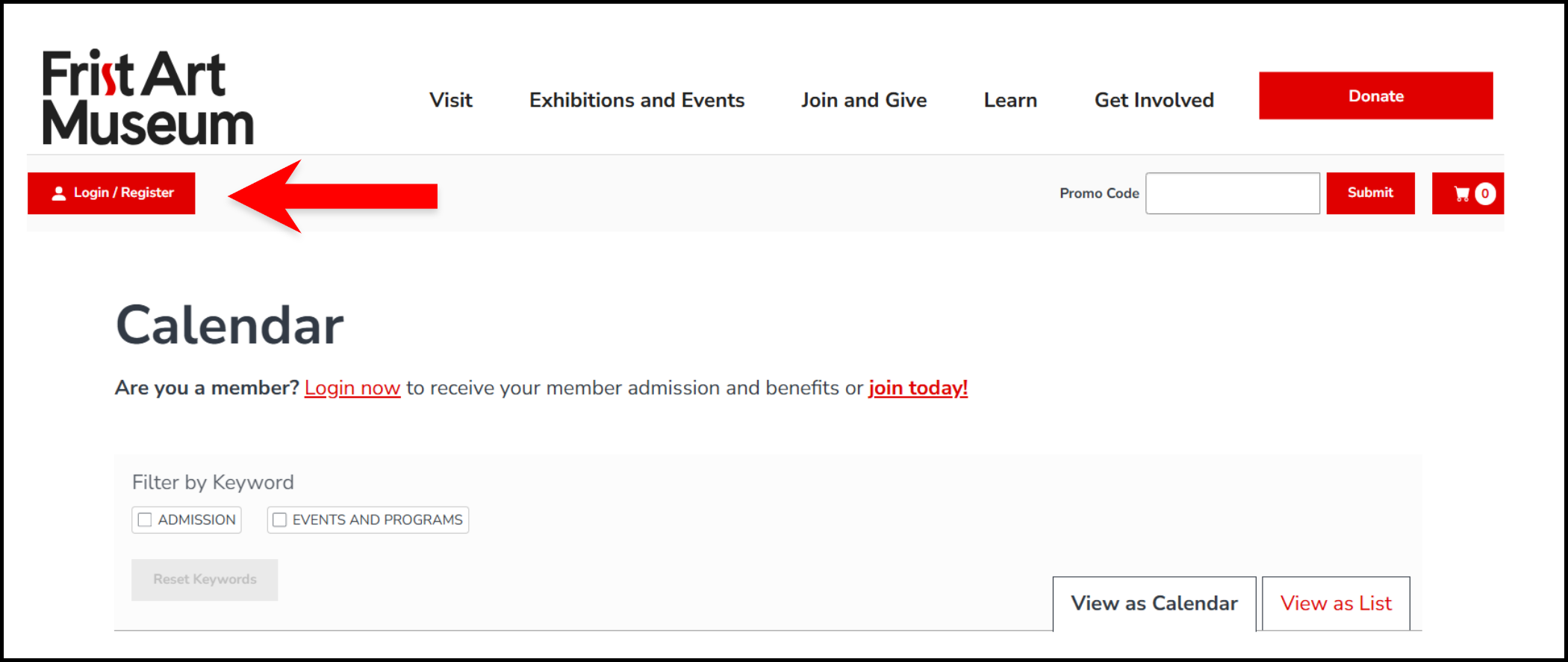
Step 1: Find the Login Button
- Visit the secure.fristartmuseum.org and click the “Login/Register” link, located in the upper-left corner of the page.
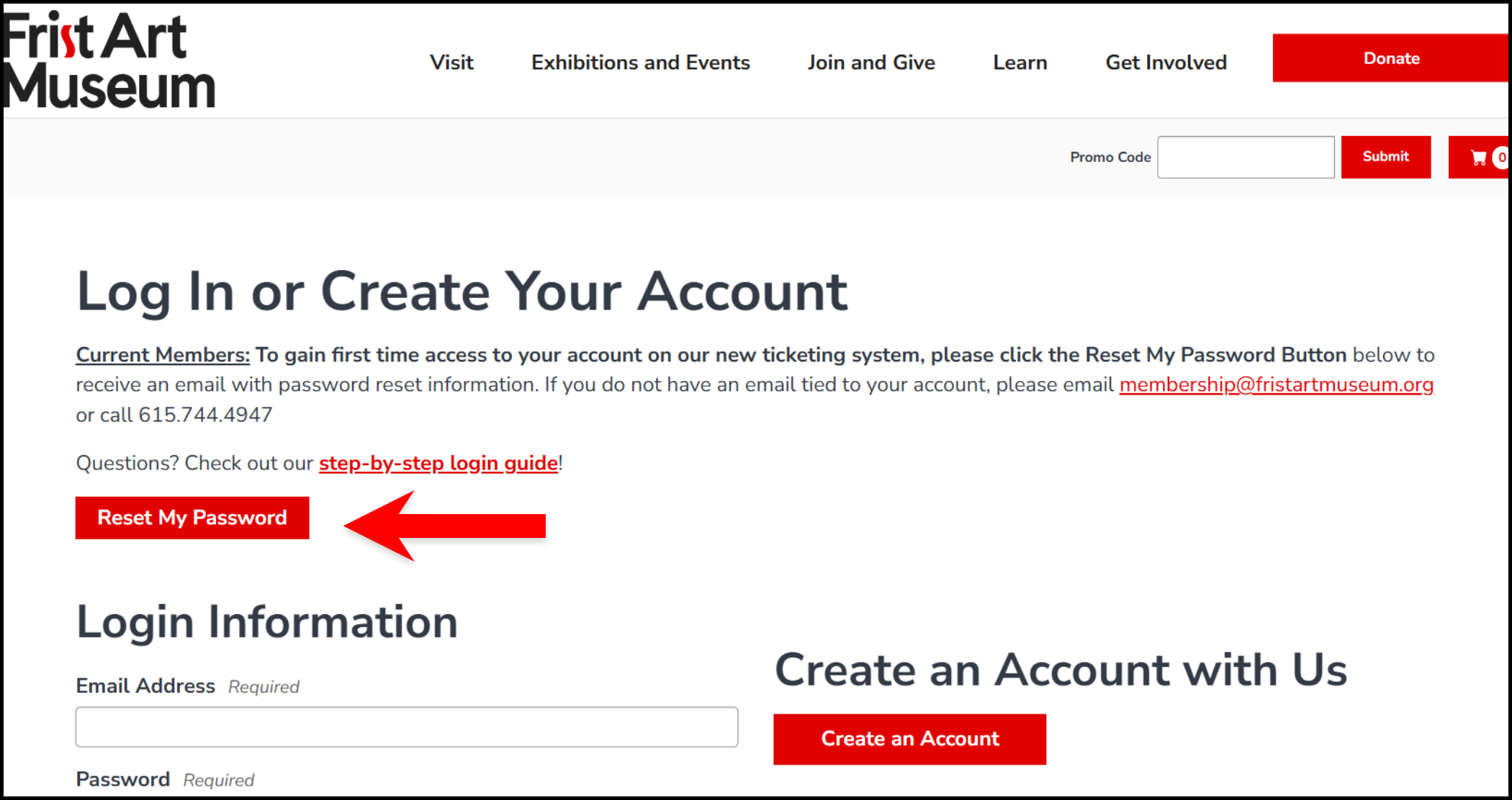
Step 2: Members Activate Your Account
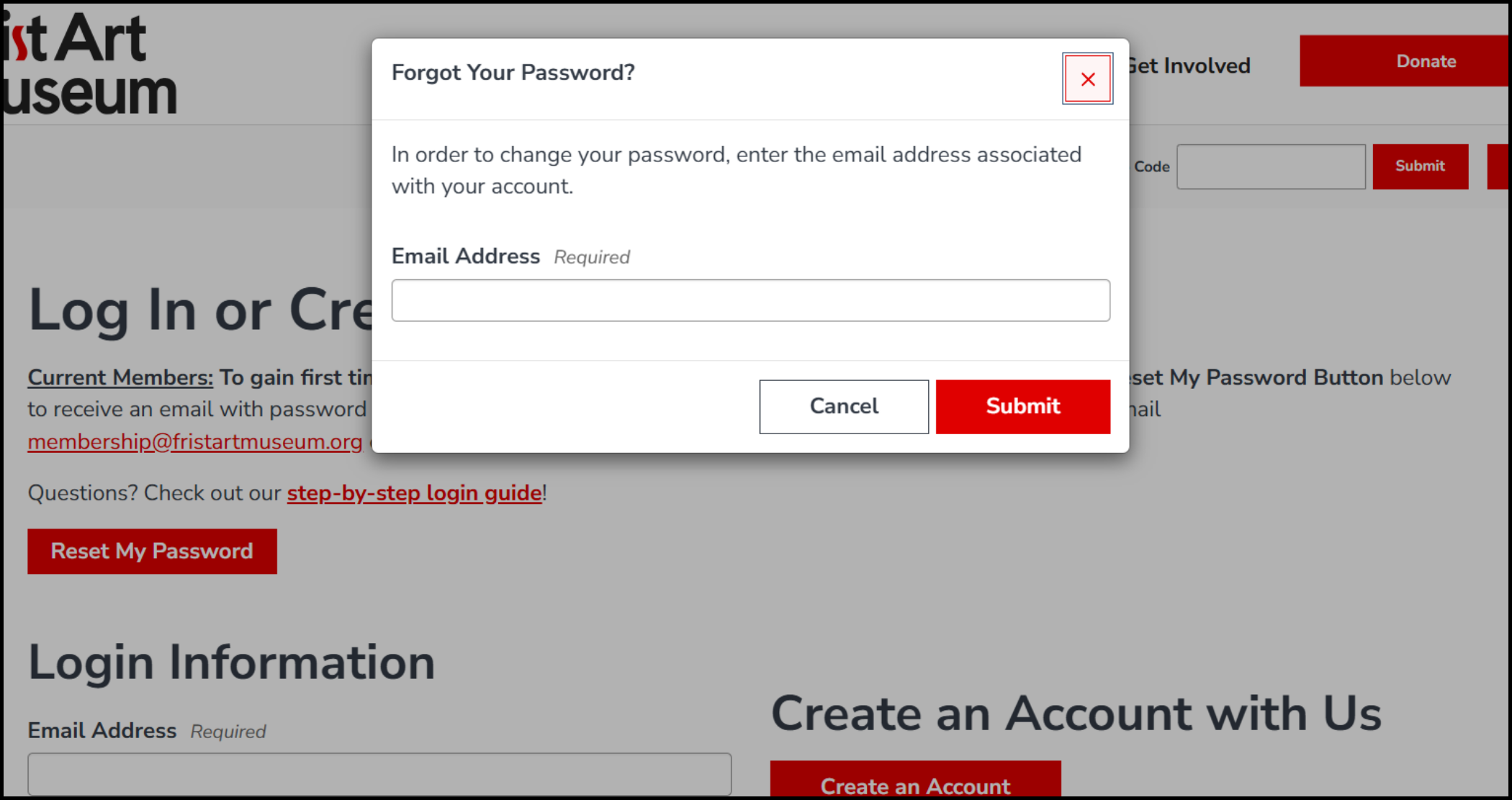
- If you’re currently a member, or have been in the past, click “Reset My Password” and enter the same email address associated with your membership.
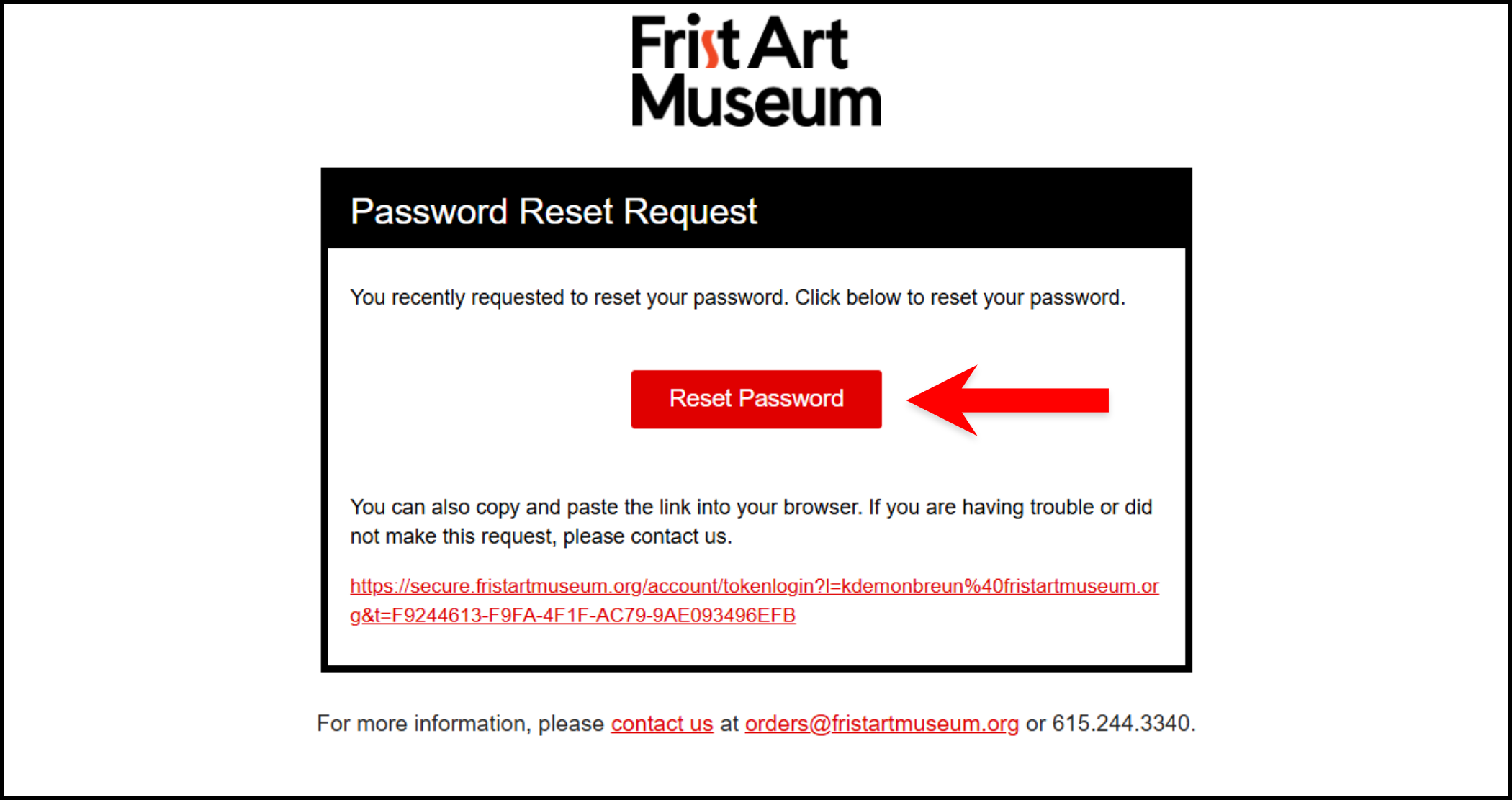
- You’ll receive a password reset email from orders@fristartmuseum.org (check your spam or junk folder if you don’t see it).
- Click the “Reset Password” link in the email and enter a new password on the form provided. Be sure to save your password for the future!
- After submission, you’ll either be logged in or prompted to sign in using your updated credentials.
Step 3: Access Your Member Profile
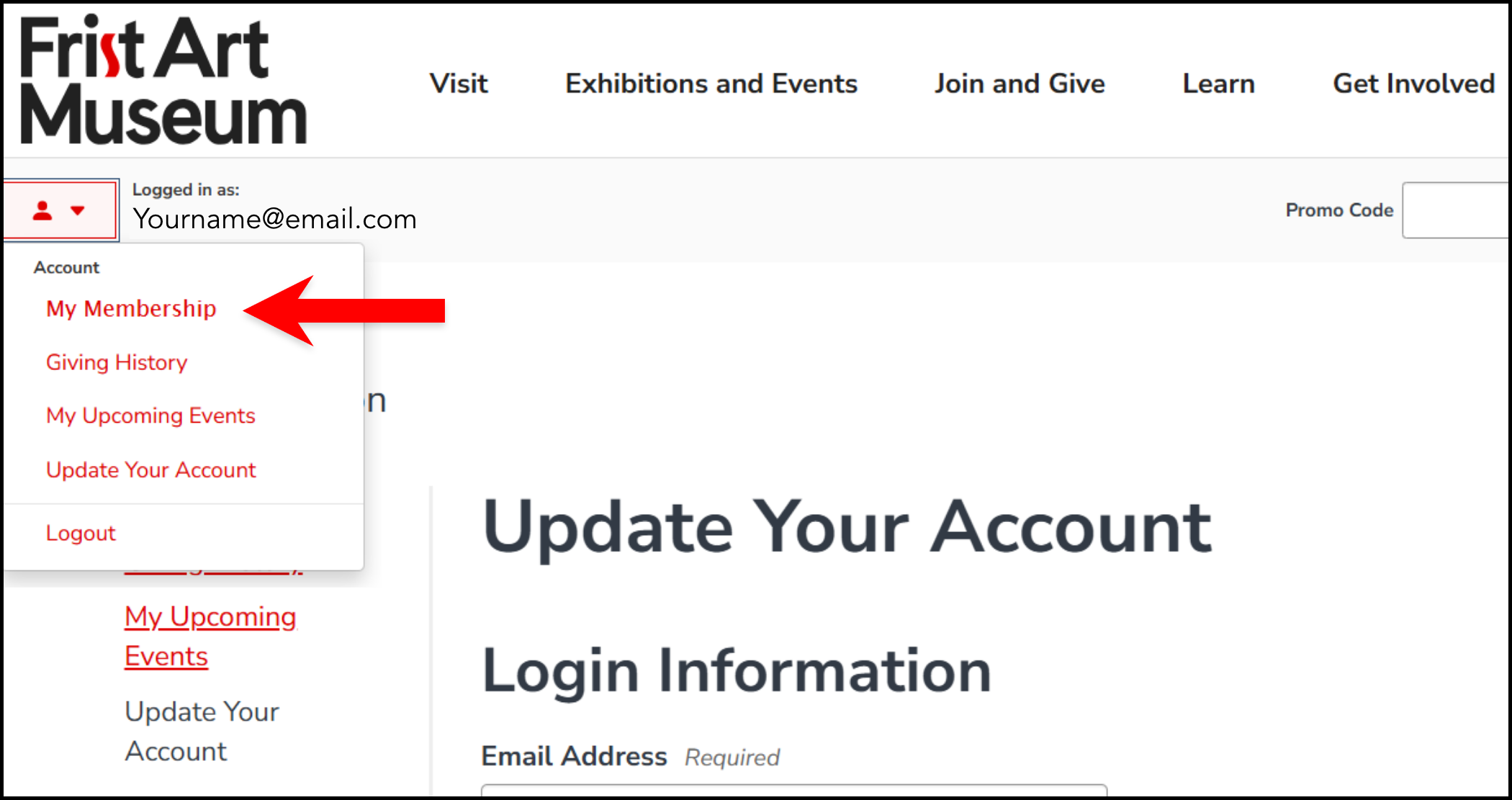
- Once logged in, click the profile icon (usually located in the upper-left corner).
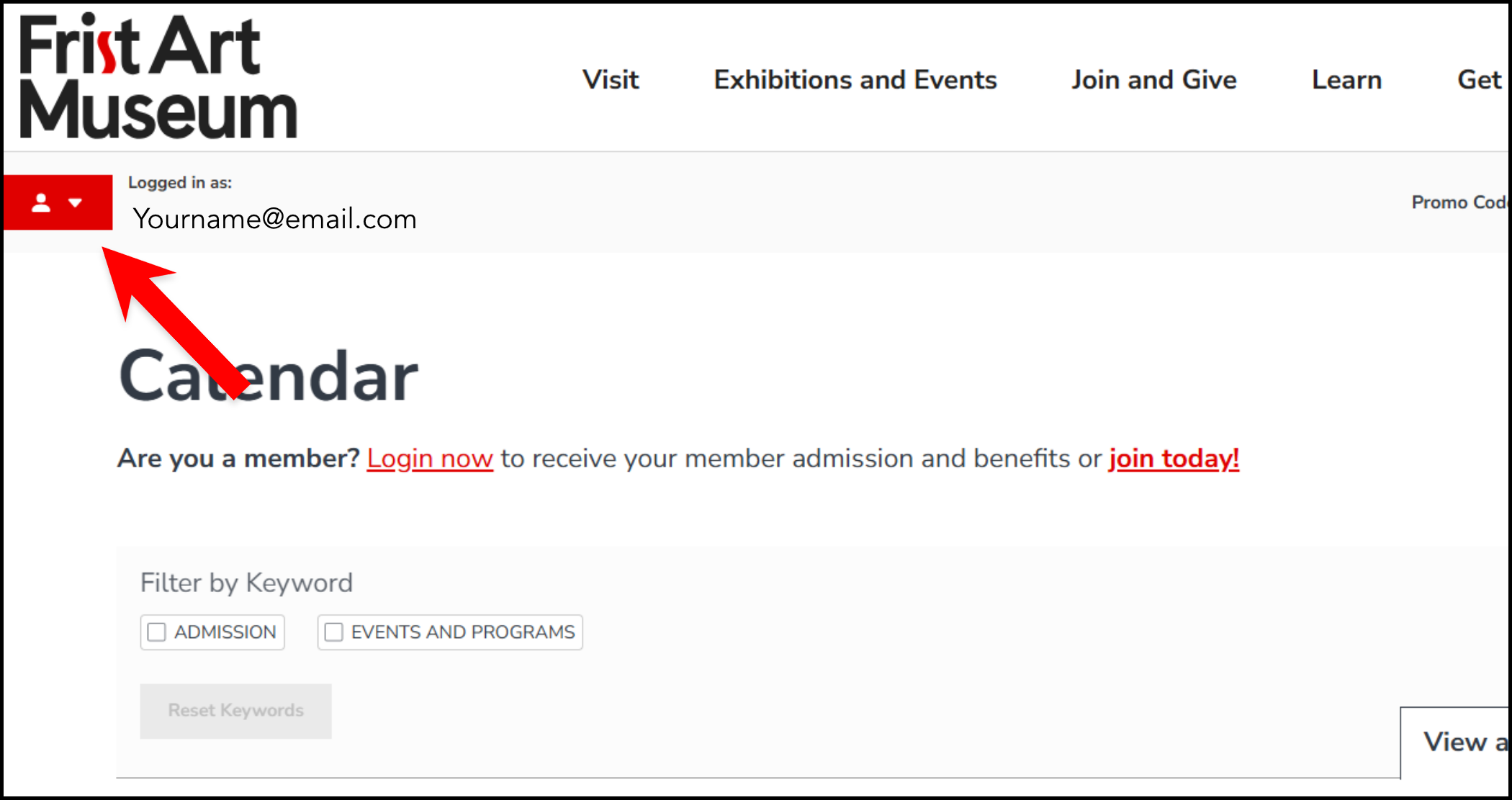
- Navigate to “My Membership” to view your membership level, expiration date, guest passes, and update your contact information if needed.
Step 4: Use Your Membership Benefits
- Members can reserve tickets in advance of the general public, register for exclusive events, and access guest passes.
Visitors, please follow these steps to create an account in order to purchase tickets or sign up for events and programs:
Step 1: Find the Login Button
Visit the secure.fristartmuseum.org and click the “Login/Register” link, located in the upper-left corner of the page.
Step 2: Visitors Create Your Account
- Click “Create an Account” and register using your preferred email address.
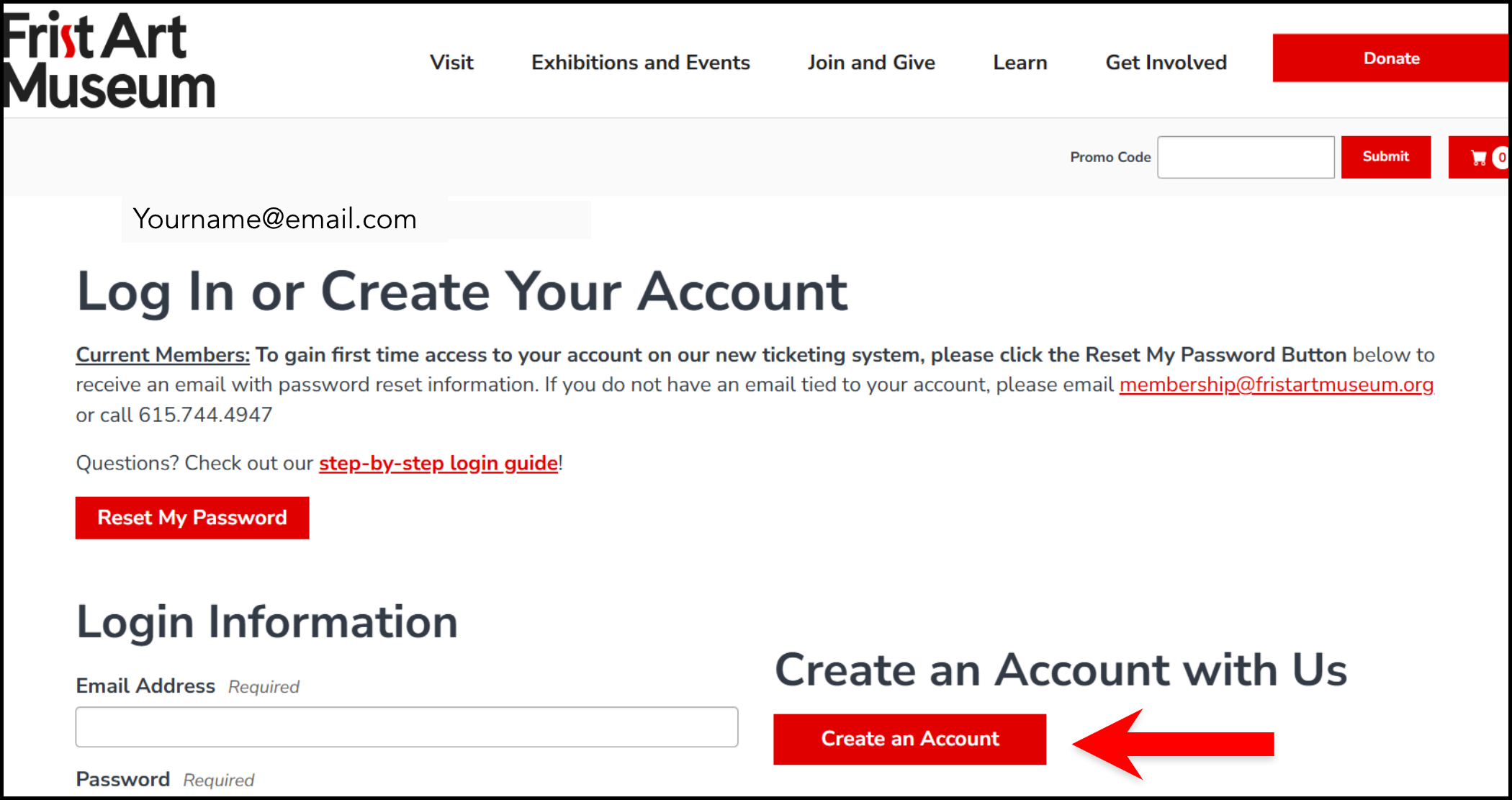
- If your email address is already associated with an account but you do not know your password, return to the “Login” page and then select the “Forgot Your Password?” button at the bottom left of your screen to reset it.
- You’ll receive a password reset email from orders@fristartmuseum.org (check your spam or junk folder if you don’t see it).
- Click the “Reset Password” link in the email and enter a new password on the form provided. Be sure to save your password for the future!
- After submission, you’ll either be logged in or prompted to sign in using your updated credentials.
Step 3: Access Your Profile
- Once logged in, click the profile icon at the upper left of your screen to navigate to your account.
- Now you can purchase tickets, register for events and programs, review your upcoming events, and more.
Click the button below to get started!
✅ Tips for Account Users
- Digital Membership Card
Want a digital pass? Save it to your Apple Wallet or Google Pay. Prefer a hard copy? You can print your card directly from the email. - Membership Start & Renewal
Memberships begin immediately upon purchase and are valid for 12 months. Renewals add a full additional year from your expiration date. - ID Requirements
Forgot your digital card? No problem—just show a valid photo ID that matches the member name for entry. - Need Help?
Contact our Membership team at members@fristartmuseum.org or call us at 615.744.4947 during business hours—we’re happy to assist!
DONATE. GIVE. SUPPORT.
Please consider supporting the Frist Art Museum with a donation. Your gift is essential to our mission of serving the community through the arts and art access in particular. We truly appreciate your generosity.